Add Vouch Philippines As Your Trusted Verifier
Tangledで編集目次

Witchsky (Web, Android)
Go to
Settings>Runes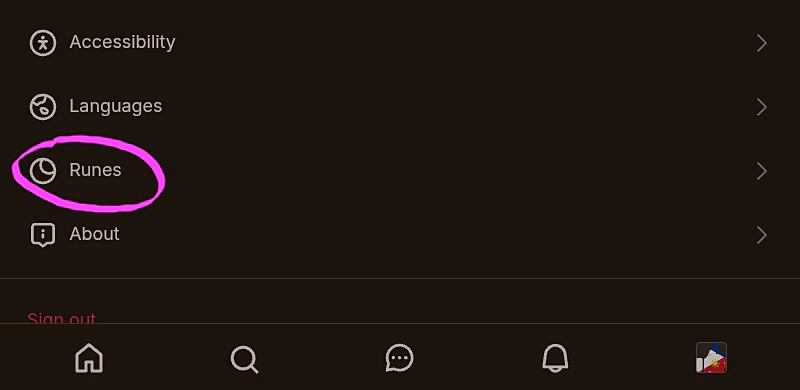
Select
Badges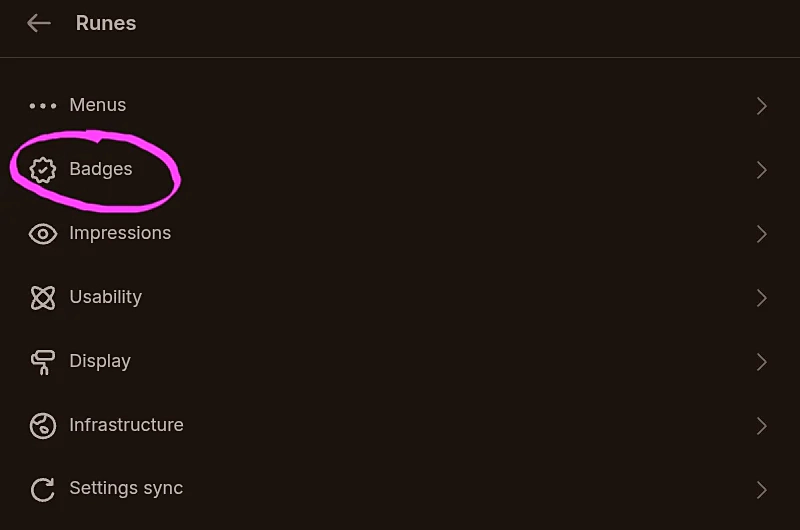
Enable Custom Verifiers
Click the
Add trusted verifiersbutton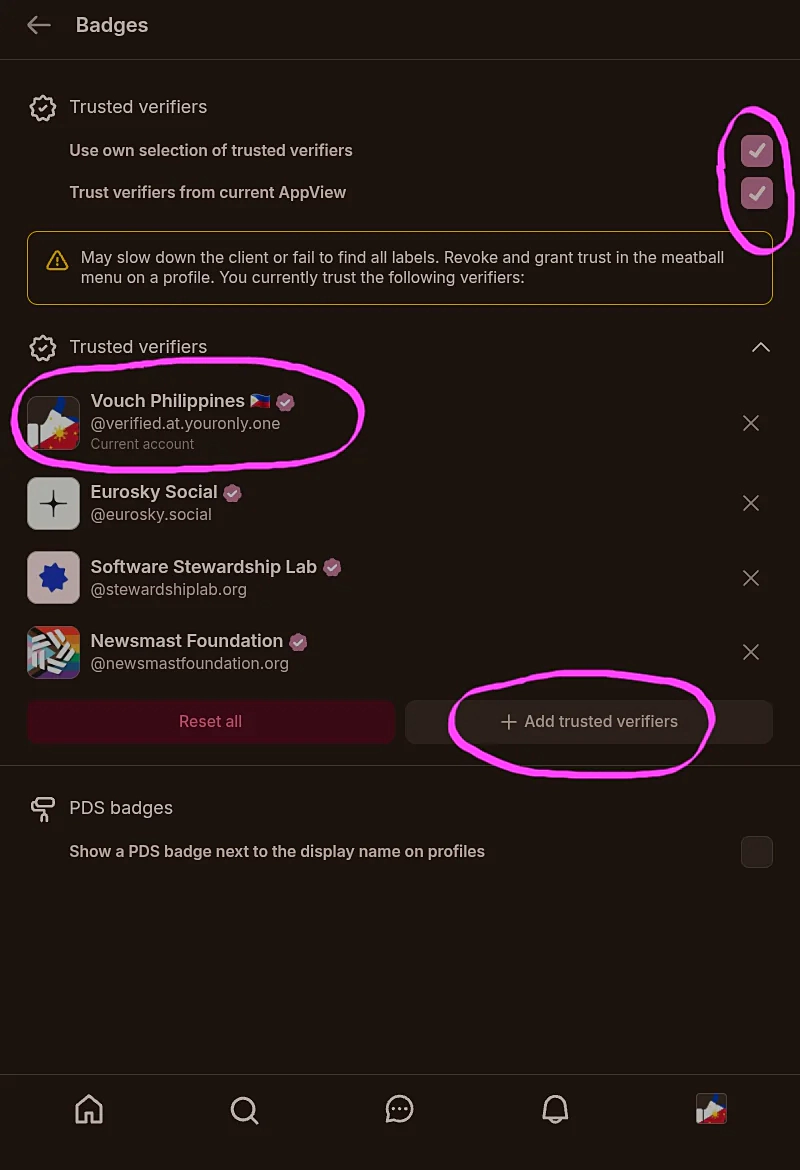
Search and add
verified.at.youronly.one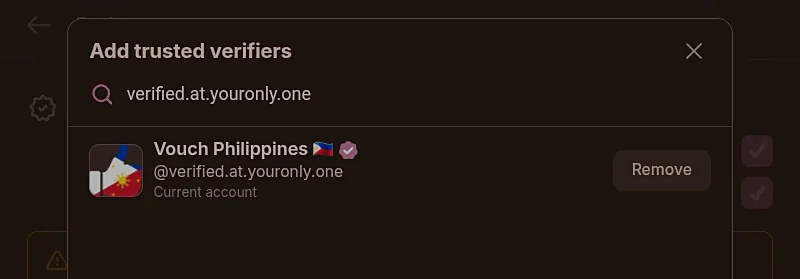
Skywalker (Android)
Tap
Moderation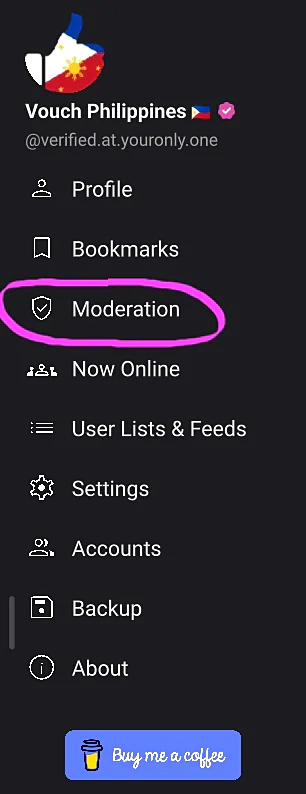
Tap
Trusted Verifiers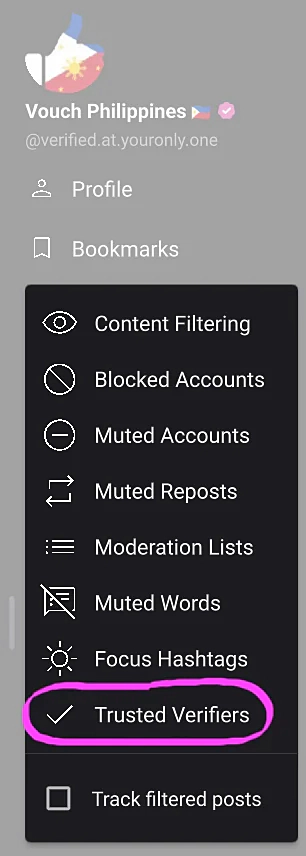
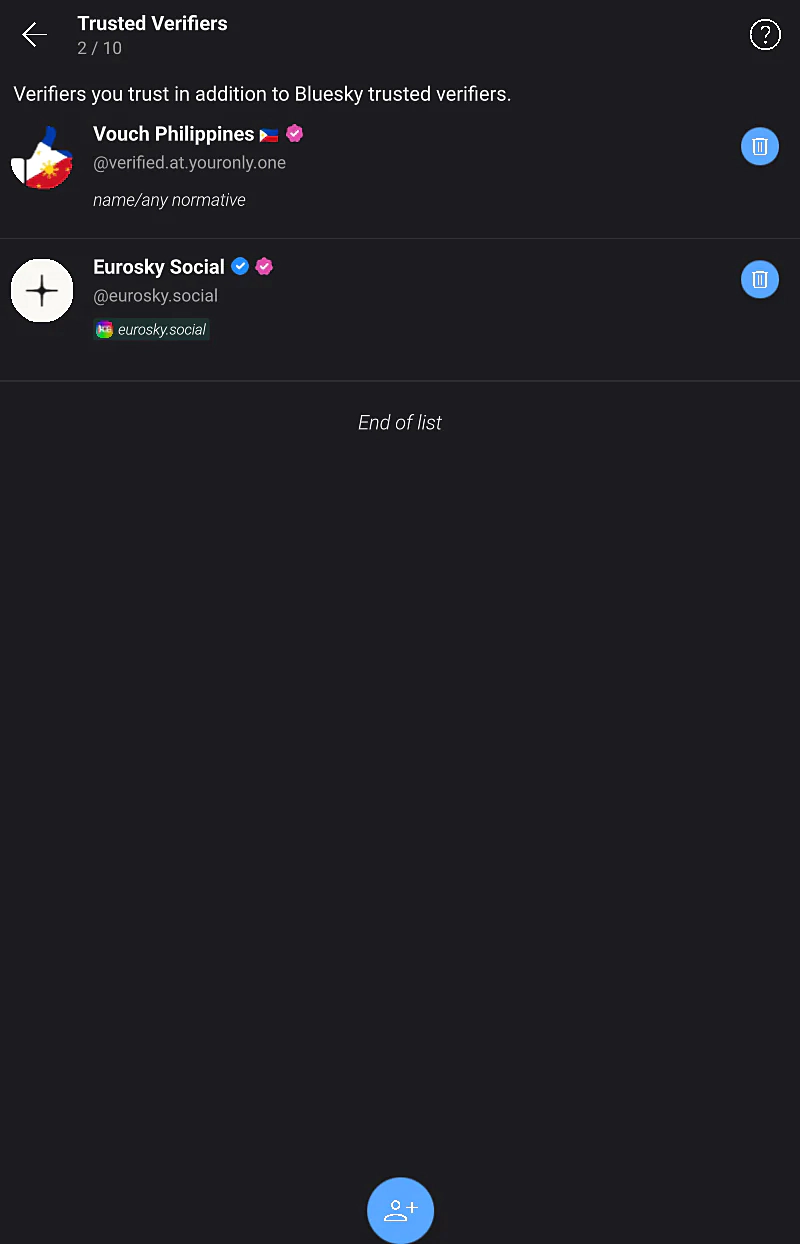
Search and add
verified.at.youronly.one
Done!
Cover image: The Next Steps by Gerd Altmann, dedicated to the Public Domain under CC0 1.0 Universal.